


Your disk is full again, and nobody knows why. We built Ilum for exactly that. The app lives in your menu bar, shows where the space went and helps you clean up without deleting anything behind your back.
Download Ilum for macOSmacOS 13.3 or later · Apple Silicon and Intel · free

What Ilum does
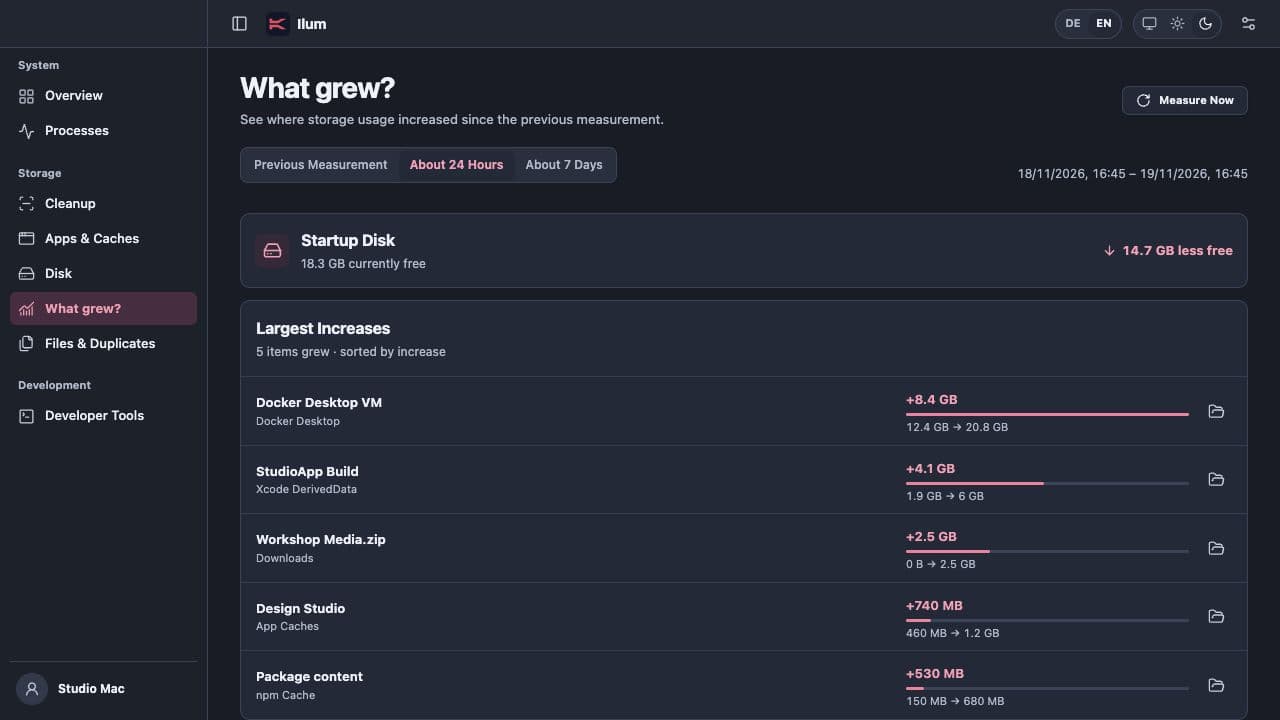
- Storage history: Ilum compares measurements and shows what grew, for example over the last 24 hours.
- Cleanup with preview: Old caches, logs, large files and duplicates are listed first. Only the ones you select are moved to the Trash, not deleted for good.
- Developer tools: Ilum finds dependency folders such as
node_modules, build artifacts, package caches and Docker storage, the places where most of our gigabytes go. - System monitor: CPU, memory, disk usage and active processes right in the menu bar.
The app is available in English and German via the DE / EN switch, in light and dark appearance.
Your data stays on your Mac
Scans and storage history run entirely locally. Ilum skips folders blocked by macOS. Settings → File Access checks Desktop, Documents and Downloads. Full Disk Access is optional. The source code is available under the MIT License on GitHub.
Installation
- Download
Ilum.dmg, open it and drag Ilum into your Applications folder. - Launch Ilum. Because the app is not notarized by Apple, macOS blocks the first launch. Open System Settings → Privacy & Security and click Open Anyway next to Ilum. Apple's guide
- Ilum installs new versions under Settings → Software Update. Updates are signed.
Download Ilum for macOSmacOS 13.3 or later · Apple Silicon and Intel · free
Questions, bugs or ideas? Use our contact form or open an issue on GitHub.